
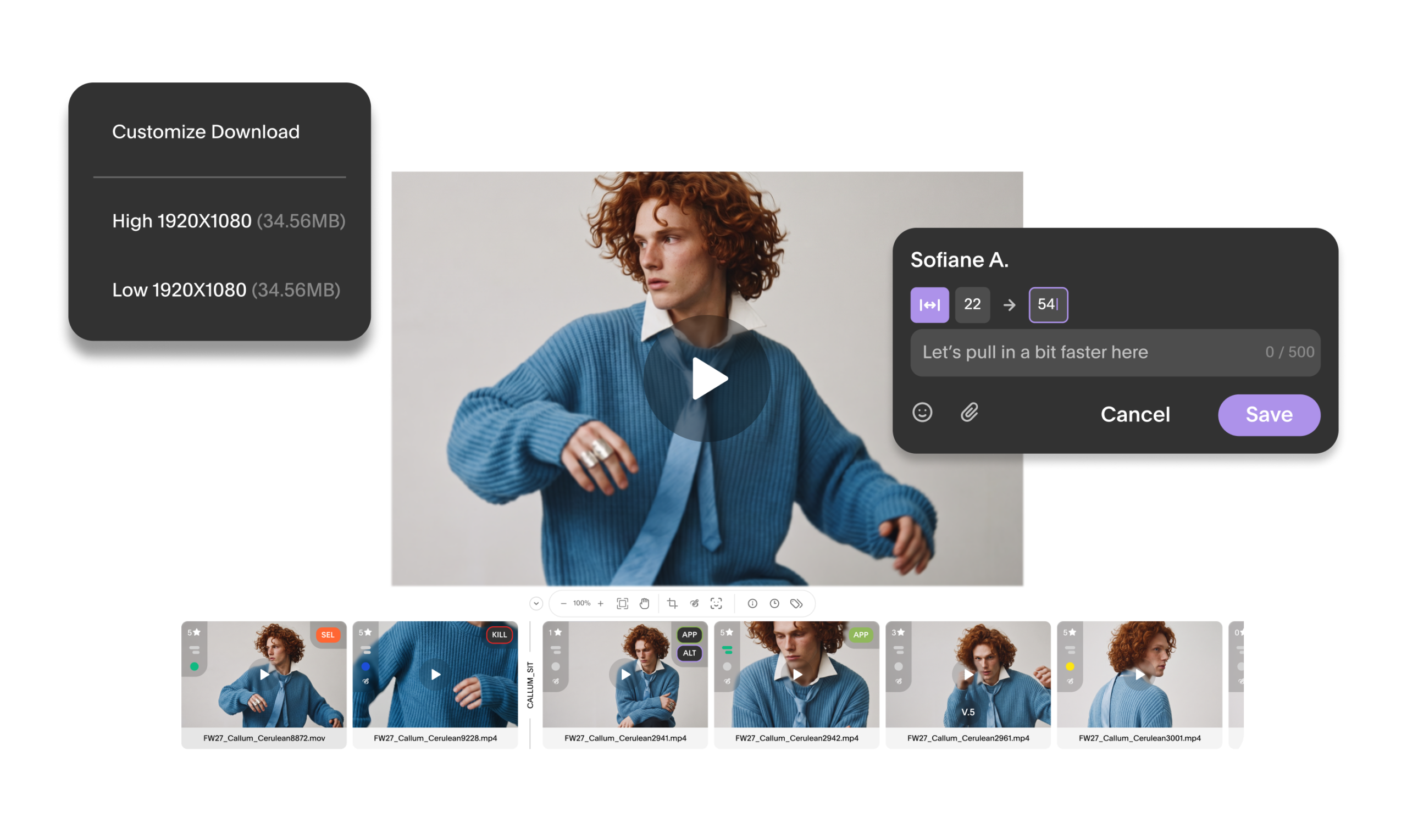
As consumer behavior and platforms and consumer behavior evolve, content needs are evolving right along with them. On-model videos are replacing static images on PDPs while single-image and swipeable carousels are surging in engagement on TikTok, once exclusively built for video. As such, teams are under pressure to deliver integrated campaigns that are cohesive yet platform-specific and above all, beautifully executed across stills and motion alike. Whether that content is driven by multi-day shoots or a well-timed turn on a trending moment, the checklist of deliverables is long: hero images, video cutdowns of varying lengths, thumbnails for social, ad variations, the list goes on. The line between photo and video use cases blurs, which means your e-comm, social, digital, and creative teams need to work more closely than ever.
We’re rolling out enhanced video tools designed to make day-to-day review tighter, so teams can give—and act on—clearer feedback with fewer clicks and manual steps. Globaledit now supports synced multi-cut comparison, frame-accurate navigation, time-range feedback, and faster uploads, so video review moves with the same speed and precision as the rest of your workflow.
what’s new
Review and compare, without leaving the player
Sync playback: Compare multiple videos or versions side by side in 2UP, 3UP, and 4UP views, with playback synced across all of them. See alternate cuts, edits, and versions in real time on one screen instead of toggling between tabs for ultra-precise review.
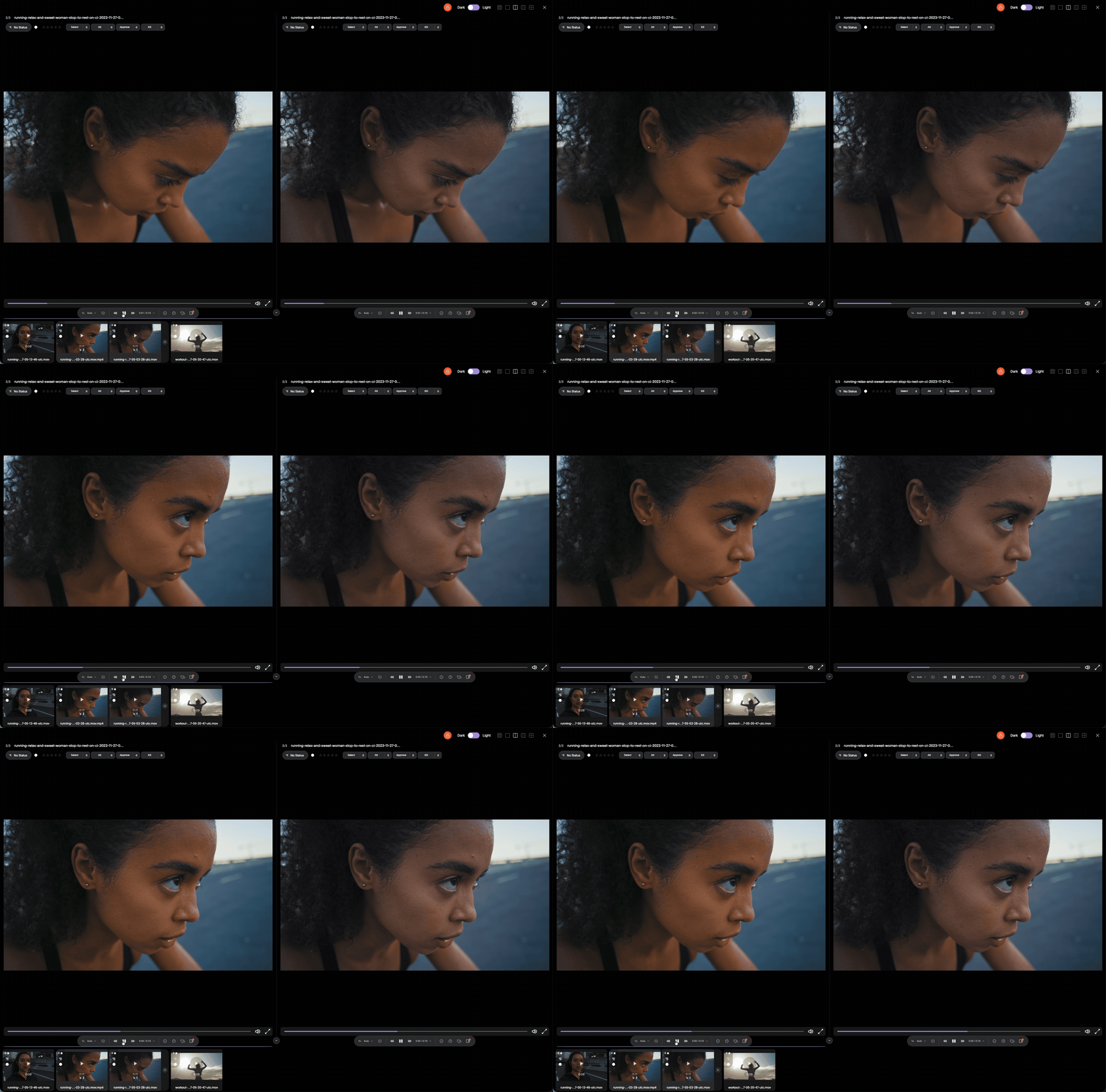
Loop playback: You can now loop video continuously without manually restarting the clip.
Zoom controls: Zoom in to inspect detail during playback, in single view or across synced comparisons.
Time-range comments: Attach feedback to a range of time, not just a single frame. Perfect for transitions, sequences, or anything that unfolds over a few seconds.
Navigate & work faster
Keyboard shortcuts: Simple update, huge time savings. Play, pause, mute/unmute, change playback rates, and step frame by frame without reaching for your mouse.
Frames display: Alongside Current Time/Duration and Timecode, you can now view video position by Frames for hyper-accurate references and precise edit feedback.
Video preview and scrubbing: Preview videos straight from your library by scrubbing through the thumbnail. No need to click into the actual file to confirm you’ve got the right one.
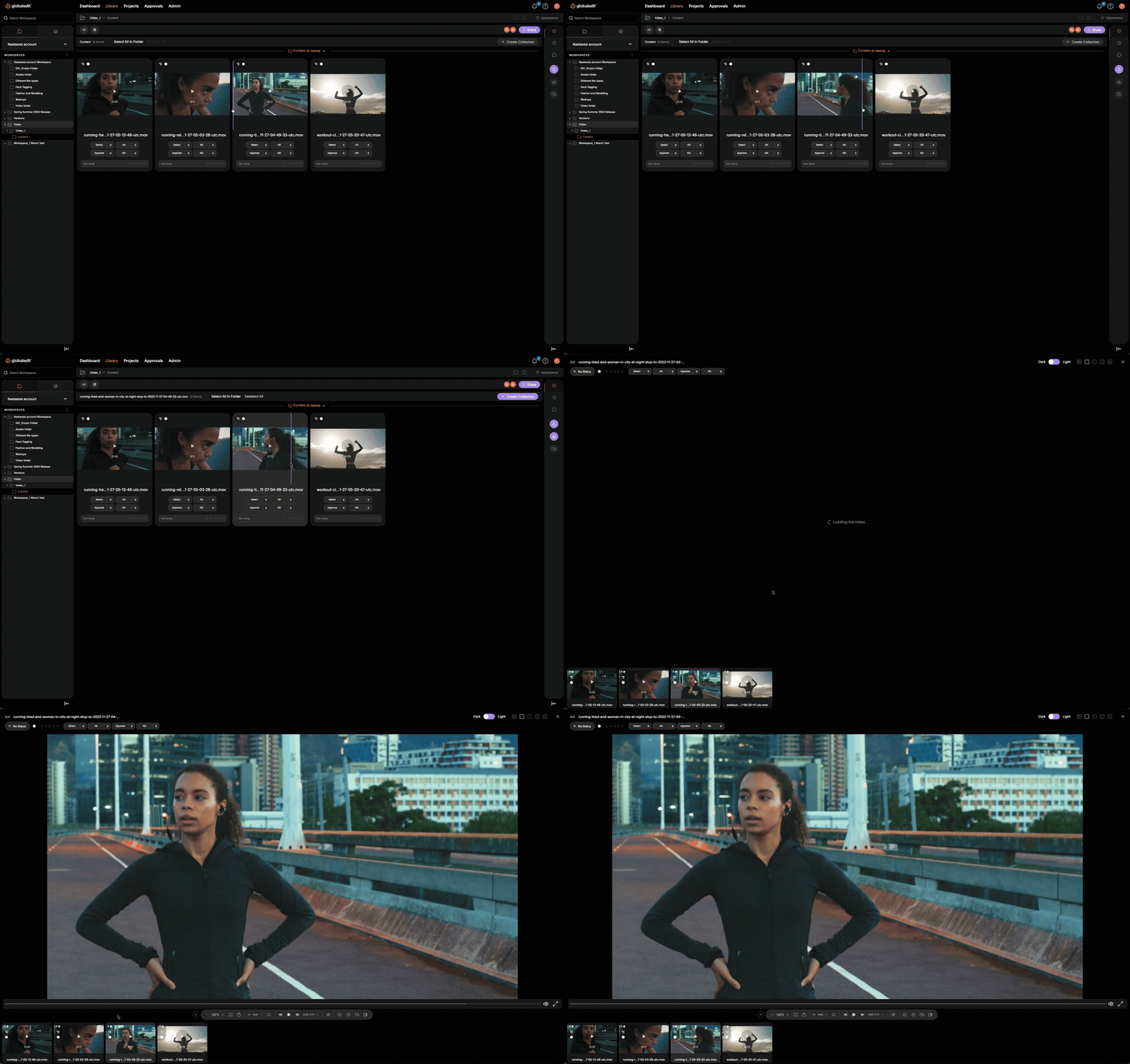
Drag and drop: We’ve made moving selected assets between folders smoother across the board. Drag and drop assets from anywhere to their desired destinations. This one applies to every asset type in your library, not just video.
Get final files out the door
Download still: Pause on any frame and download a high-resolution JPG of it, no extra tools or screenshots required. To the social media managers constantly on the hunt for the perfect cover image, this one’s for you.
Set still as thumbnail: Set the current paused frame as an asset’s thumbnail, so your team can preview key content, not whatever frame renders first.
Download video proxies: Grab lower-resolution MP4 proxies when you need something fast to share or review and don’t need the full-resolution master.
Download options: Choose to download files individually or as a ZIP, depending on how you’re working. This also applies across all asset types, not just video.
Faster uploads: We’ve optimized processing behind the scenes so uploaded video becomes available for review sooner, especially for larger files.
why this matters
Video production workflows are inherently meticulous and iterative, so reducing friction at any step—no matter how small—compounds efficiency quickly. More precise comparison and feedback tools speed up edit and approval cycles. Better navigation and asset recognition means less time spent hunting for the right cut. Flexible downloads eliminate trips to other tools just to get a file out. These updates make it easier to bring more of your video-heavy work into Globaledit, so your entire integrated production workflow lives in one place, making for faster, more cohesive campaign launches all around.
Reach out to your account manager if you’d like a walkthrough, or head to our knowledge base for tutorials on any of the features above.