

Every day, our core users rely on our WIP features to keep their high-volume workflows running: making selects under deadline, leaving feedback for retouchers, comparing rounds, marking up hero shots, and working with multiple tools and teams at a time. The interface is where the creative work happens, and our priority is to empower teams to do their best work, day in and day out.
We’ve updated the core visual system, navigation, asset cards, and review tools within the Globaledit platform to be faster, more flexible, and easier to navigate. Here’s what’s changed.
What’s New
In addition to a range of quality-of-life improvements including faster upload, download, and response speeds across the platform, we’re introducing a suite of changes designed to give your teams more control and more information, all at once.
a new visual foundation
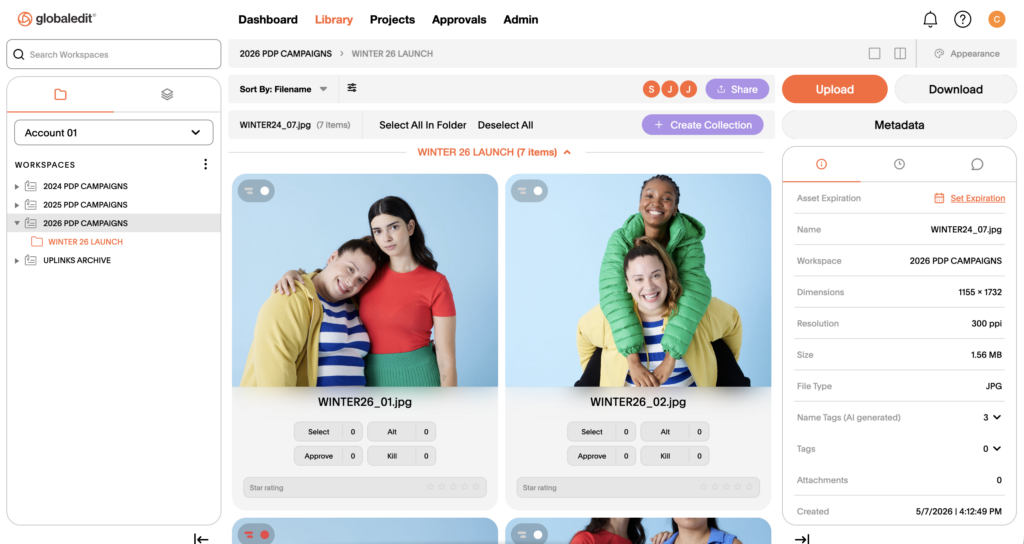
Our platform has been updated with a new color and branding system for a more cohesive, higher-contrast view of labels, ratings, and more. You can also toggle between full-app light mode and dark mode at any time. Whether you’re evaluating assets for a light-themed e-comm PDP or sitting in a dim editing suite, the interface adapts to how and where you work, so you can better evaluate your visual content in context.
customizable asset cards
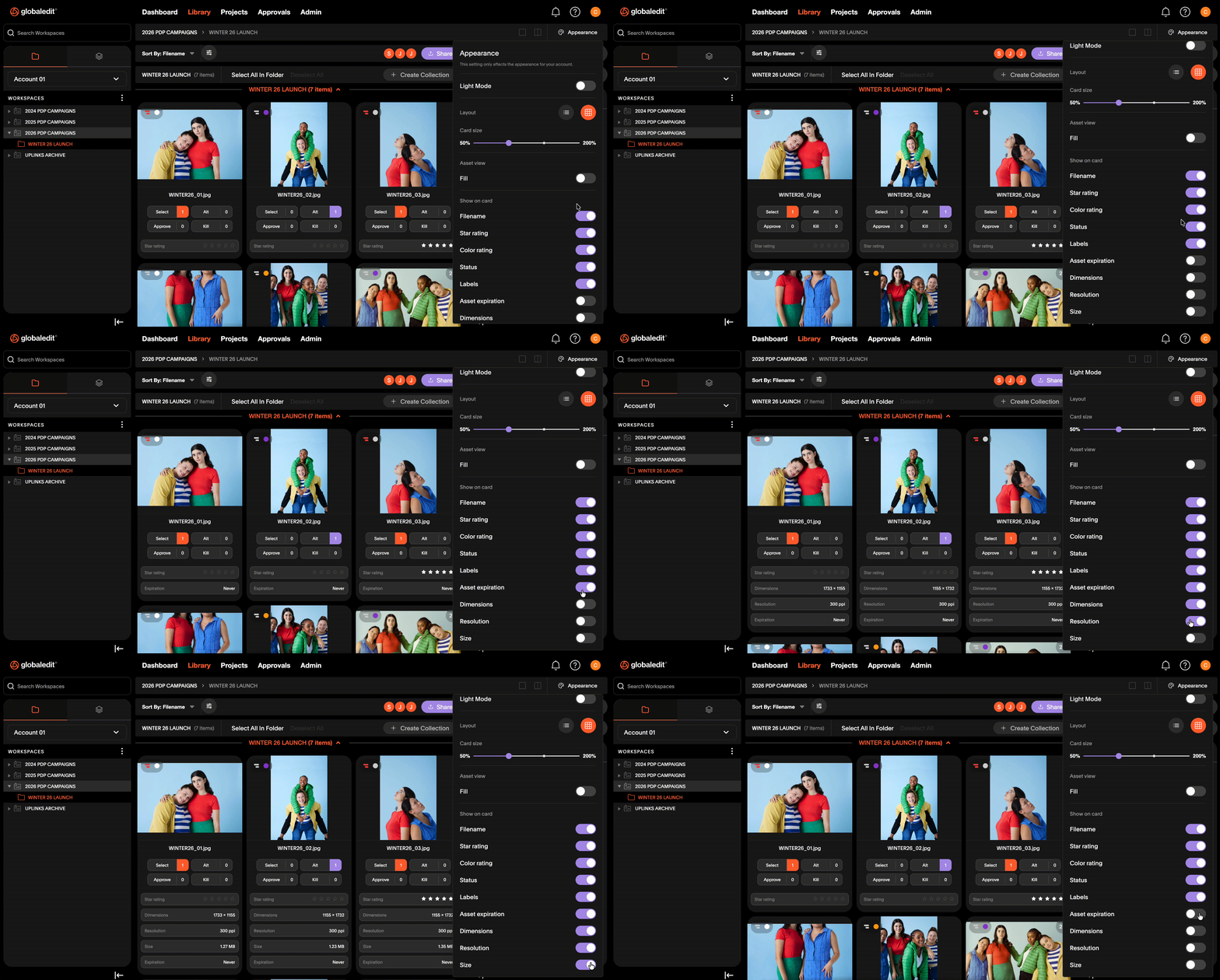
We’ve rebuilt the library view with updated asset cards that surface more relevant information at a glance. Now, you can choose what details you want to see—ratings, status, markup indicators, and more—and adjust as your needs change by project or workflow.
list view
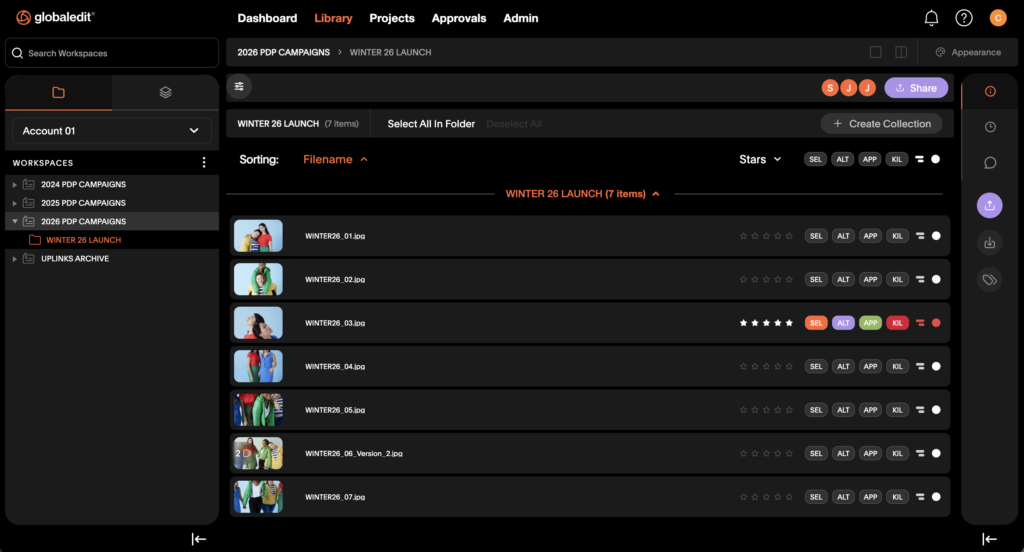
A new list view lets you browse and scan files by name at scale. It’s especially useful when moving through large quantities of assets quickly, when the specificity of grid view isn’t necessary to orient yourself.
expanded 1-up view with a new toolbar
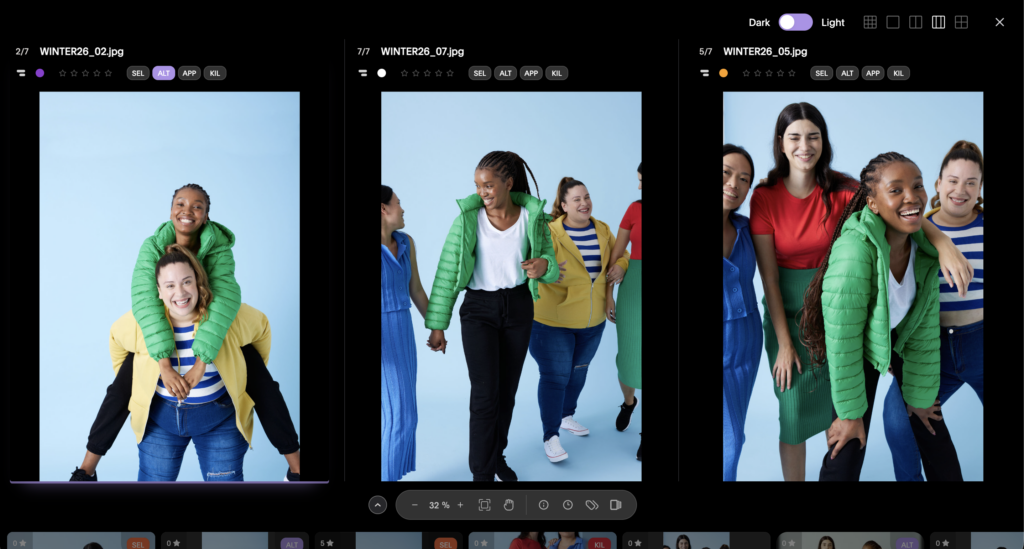
Our full-screen asset view now includes a redesigned toolbar that keeps your most-used tools in closer reach. New additions include 3-up and 4-up views for more granular comparison options, plus built-in access to your asset history, metadata editor, and crop tool.
more visible markups and comments
Comments are now visible both in 1-up view and in grid view, so you can see feedback directly in your library and when clicking into individual assets. More information, fewer clicks.
What Stays the Same
Your workspaces, workflows, data, and account configuration are unchanged. The legacy experience will be available until September 30, 2026.
Designing for the Future
Additional platform improvements are always in progress—stay tuned for updates to search, approval galleries, and more coming soon. For a detailed walkthrough of the new interface, visit our knowledge base.